Shared walking motivation
A finish line for two, without a public leaderboard.
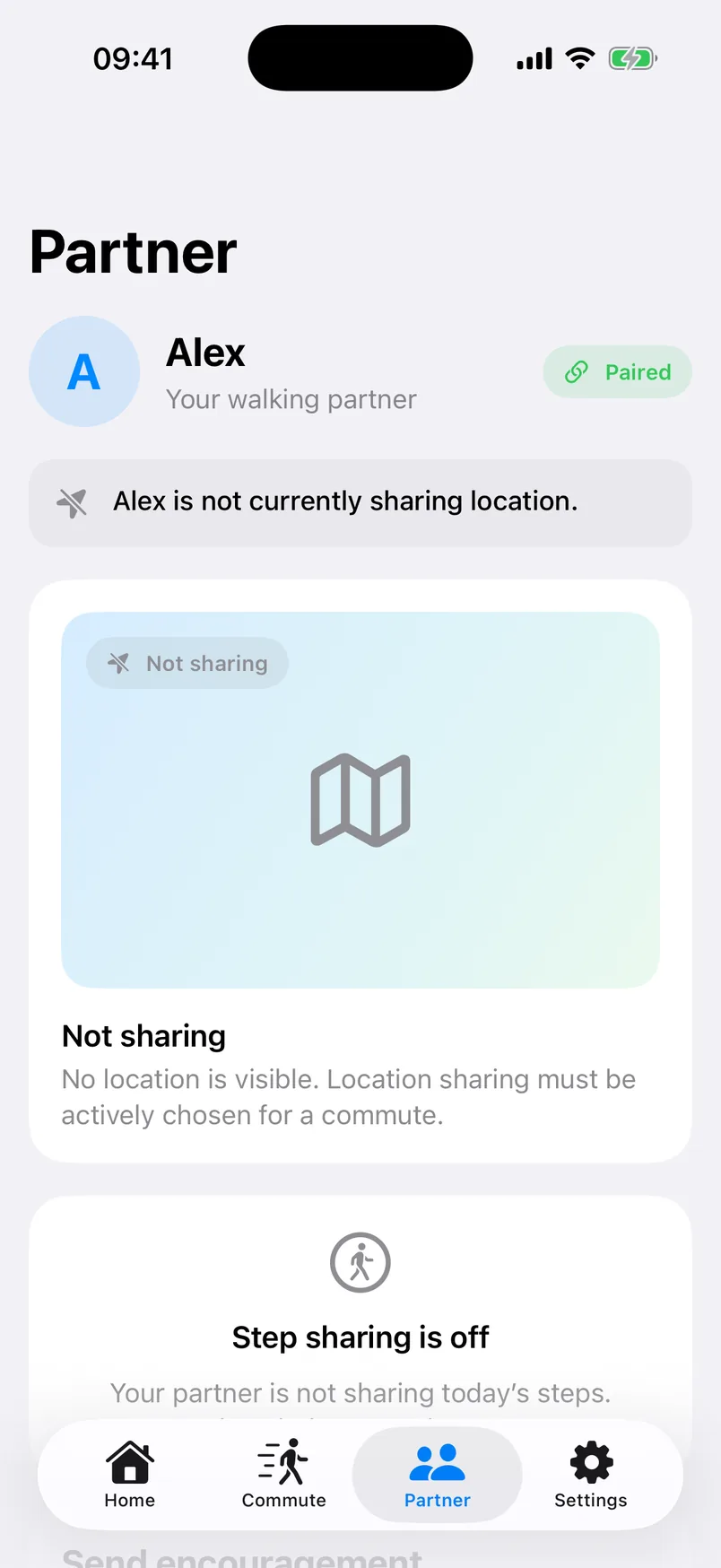
Track your own steps, set personal daily and weekly goals, and combine visible progress when both people choose step sharing.
Shared steps. Optional journey sharing.
Stride Safe is a couple step tracker for shared walking streaks, gentle encouragement, and voluntary walk or commute sharing. Pairing connects you. It never turns location on.
Two reasons to open it
Use Stride Safe every day for shared motivation, then choose if a particular walk or commute needs location.
Shared walking motivation
Track your own steps, set personal daily and weekly goals, and combine visible progress when both people choose step sharing.
Voluntary journey sharing
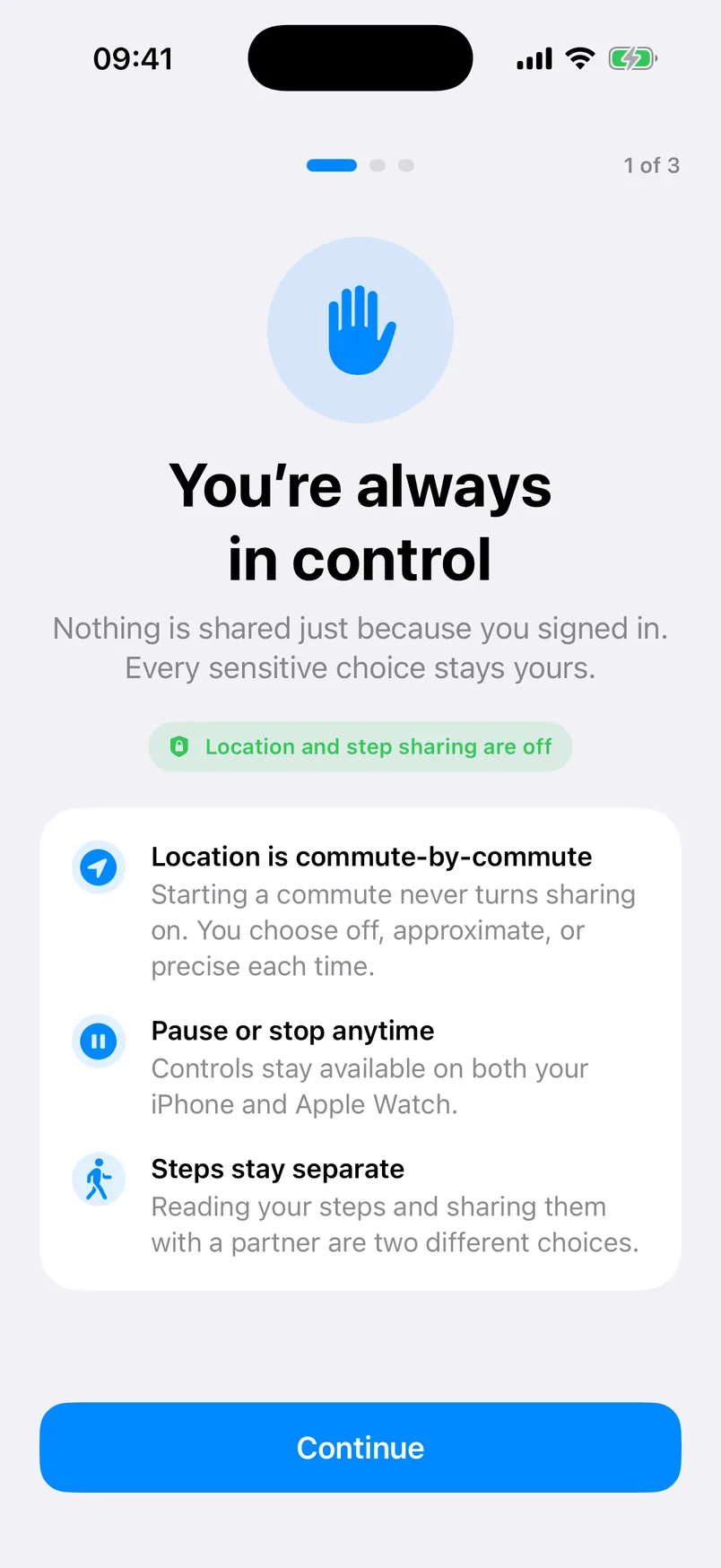
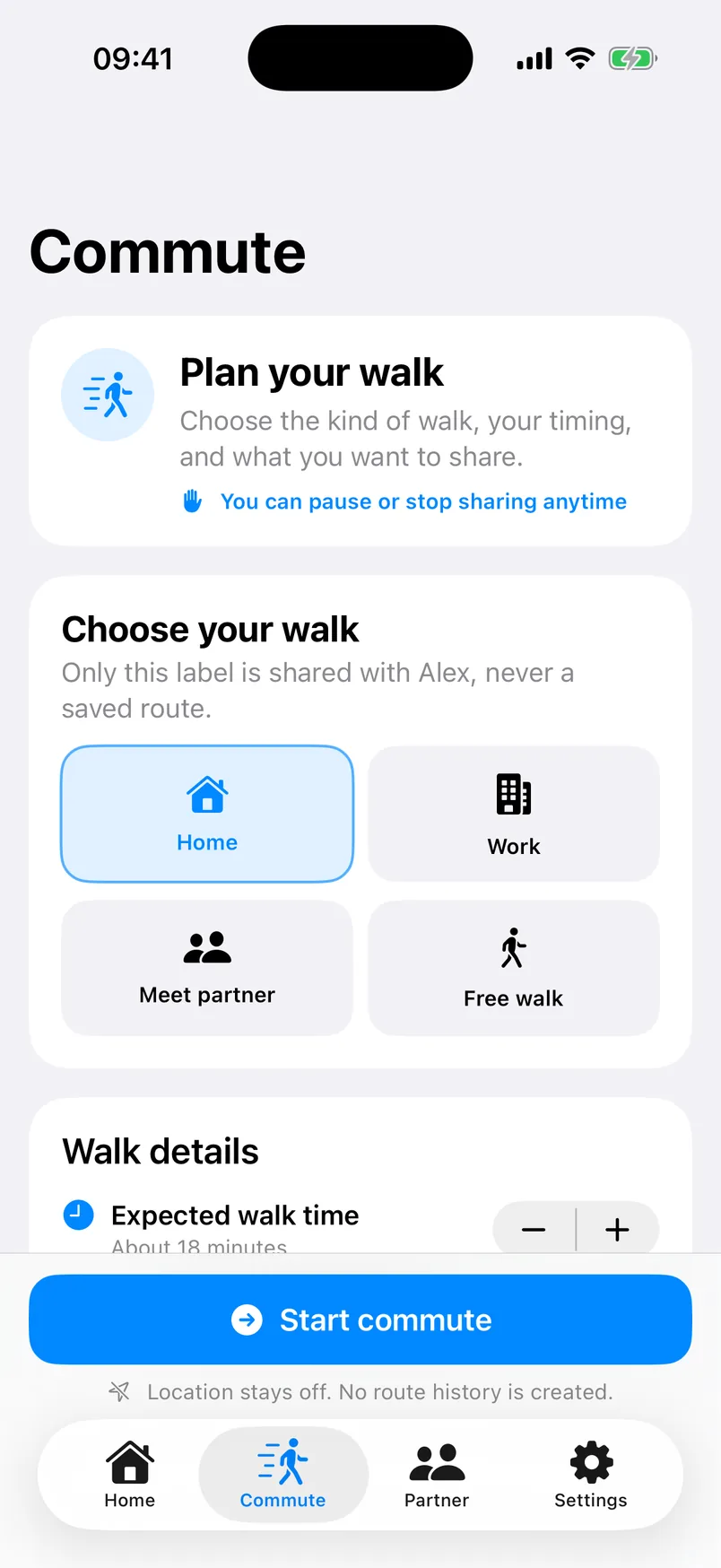
Select a trusted partner, planned duration, and the location level for this journey. Starting a commute never silently enables location.
Couple step tracker
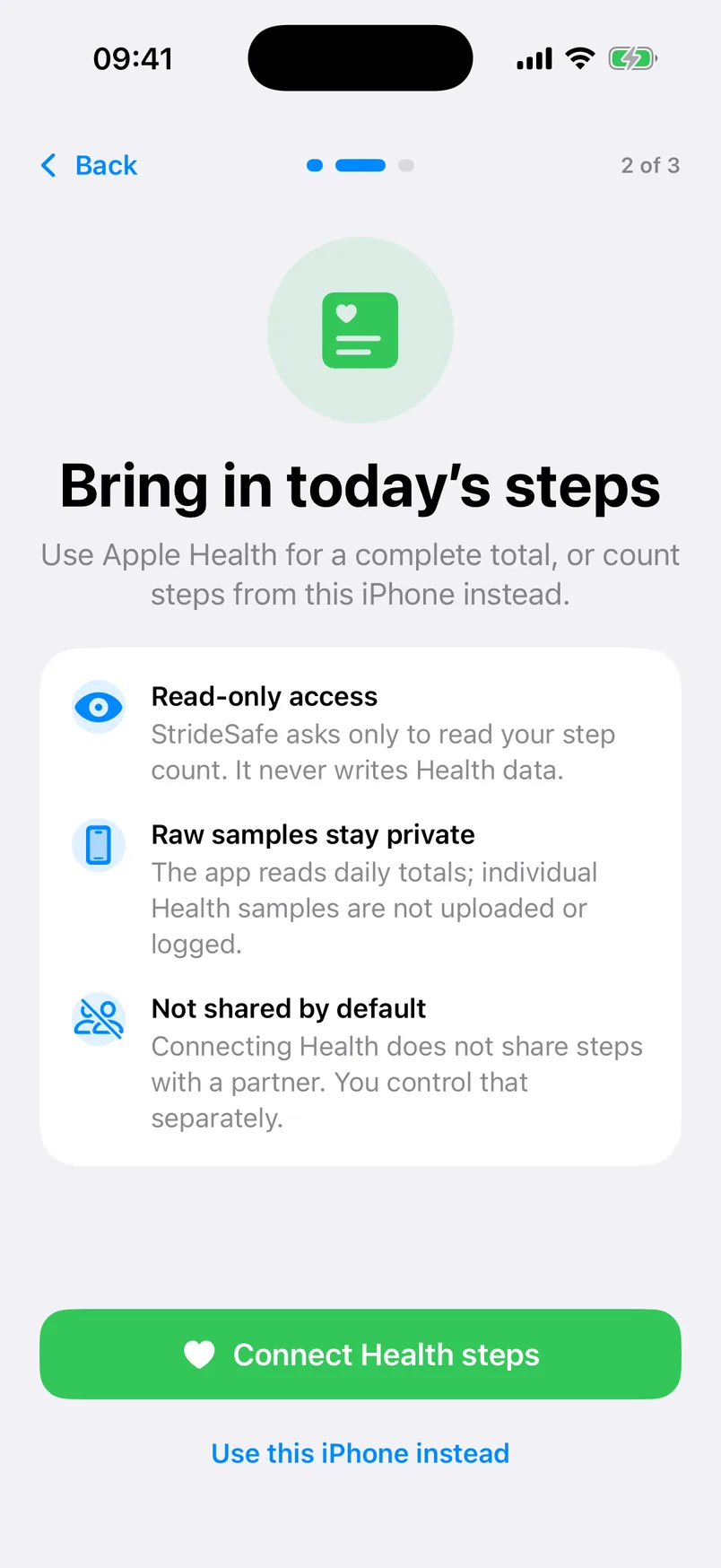
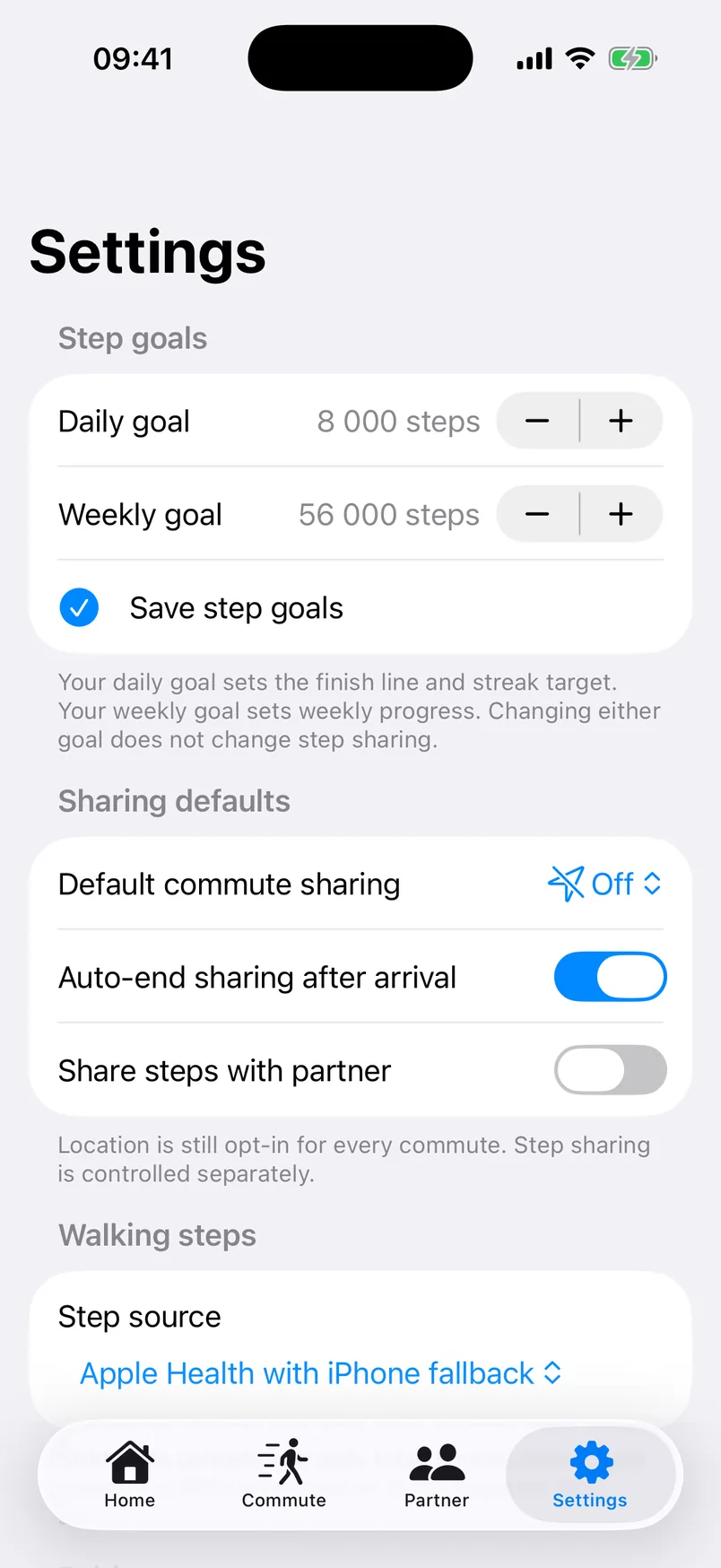
Bring in a daily total from Apple Health or use the iPhone pedometer. Stride Safe never adds the two sources together, and raw Health samples stay on the device.
How it works
A trusted pair can share step progress while location remains off. Journey sharing begins only through an explicit action.
Choose Apple Health read access or use steps recorded by this iPhone.
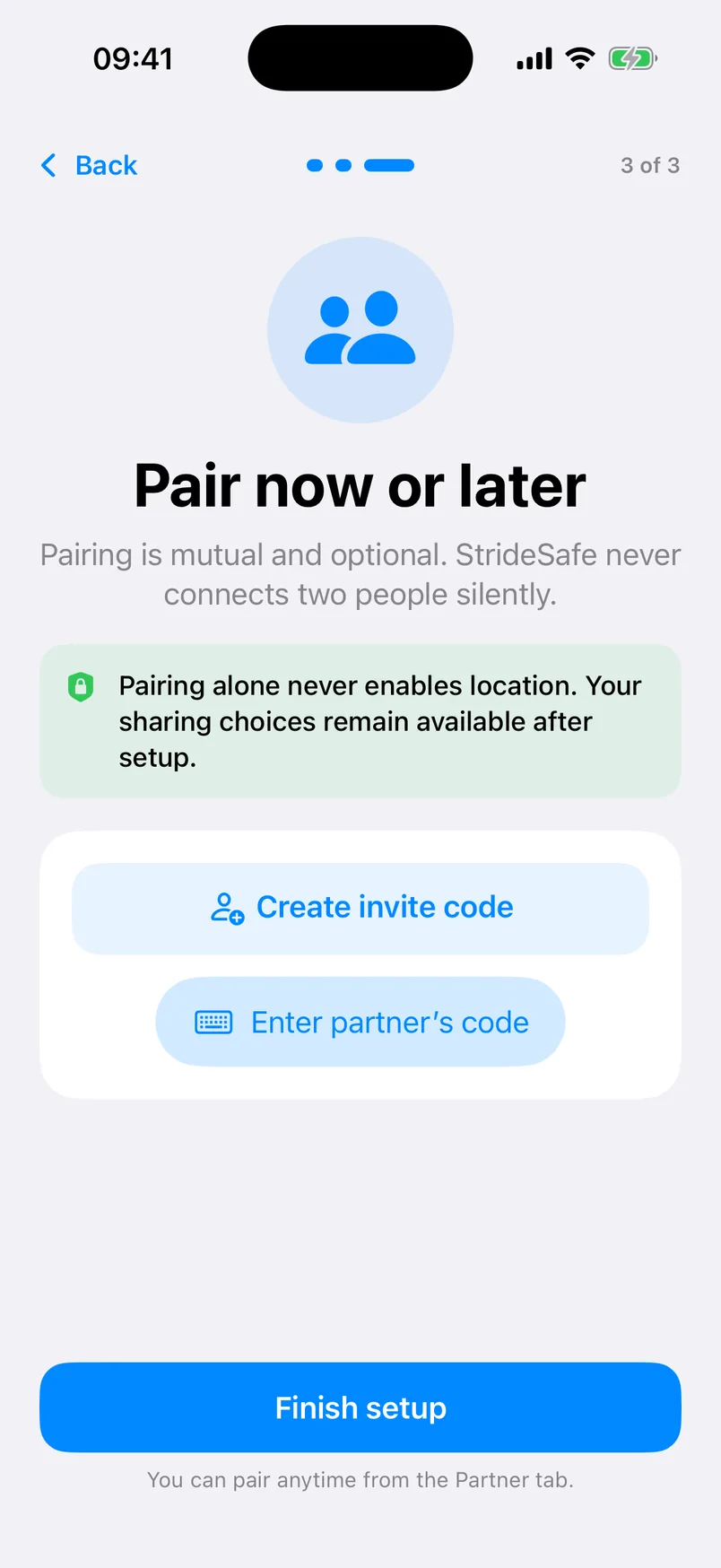
Connect with an expiring invite code, or continue with personal steps and pair later.
Step sharing is one choice. A journey’s Off, Approximate, or Precise mode is another.
Keep privacy controls close on iPhone and Apple Watch throughout the journey.
Data minimisation
Stride Safe’s backend authorises the relationship and current journey before shaping what a partner may see.
New approved coordinates replace the previous location record. No coordinate trail is built.
Authenticated accounts, pairing checks, active consent, and Row Level Security gate partner-visible data.
A location older than five minutes is labelled stale and is not presented as current.
Apple Watch companion
See daily steps, goal progress, your streak, current sharing state, and recent encouragement from the wrist.
Good to know: Starting or increasing location sharing needs the paired iPhone to be reachable. A Watch complication is not part of the current release.
Partner steps on iPhone and Apple WatchBuilt for everyday use
Adjust daily and weekly step goals without changing what a partner can see.
Celebrate consecutive goal-reaching days together, with no public ranking.
Send one of three supported encouragements instead of an open social feed.
Set a planned duration without a destination or saved route.
Choose a broader area when a precise pin would reveal more than needed.
Delete the account and associated pairing, step, commute, reaction, and latest-location data.
Genuine app screens
Captured from the current iPhone build with fictional demo details and no real route, address, or account data.
Useful before you download
Practical guides for pairs who want motivation and connection without constant competition or tracking.
Look beyond the step count: permissions, fairness, sharing controls, and the kind of motivation you both want.
Read the guide 5 min readA consent-first checklist for deciding who can follow, what they can see, and how sharing ends.
Read the guide 7 min readWhat to check before choosing a sharing tool, from precision controls to route history and stale states.
Read the guideQuestions, answered plainly
No. Location is off by default. Starting a walk or commute does not automatically turn it on. The traveller chooses Off, Approximate, or Precise for a current journey and can pause or stop sharing.
No. Pairing, step sharing, and location sharing are separate choices. Connecting with someone does not automatically enable either kind of sharing.
Yes. Pairing is optional. You can track your own daily steps, goals, weekly progress, and walking streak, then pair later if you choose.
Approximate sharing gives the paired person a broader area. Precise sharing gives the latest approved precise location. Both require an active journey, active pairing, and current consent. Approximate does not mean anonymous.
No coordinate route history is stored. The backend keeps one replaceable latest-location snapshot while sharing is allowed, plus journey status and timing metadata.
The traveller taps “I arrived” or “Finish walk.” With auto-end enabled, location sharing stops. The paired person can see the updated journey state in the app. Push arrival notifications are not part of the current release.
No. Stride Safe can help trusted people stay connected, but it cannot guarantee safety and is not a replacement for emergency services.
Ready when you are
Build a walking streak with someone you trust, and keep every journey-sharing choice in your hands.